Glaspen2
Separate the pen from the mouse
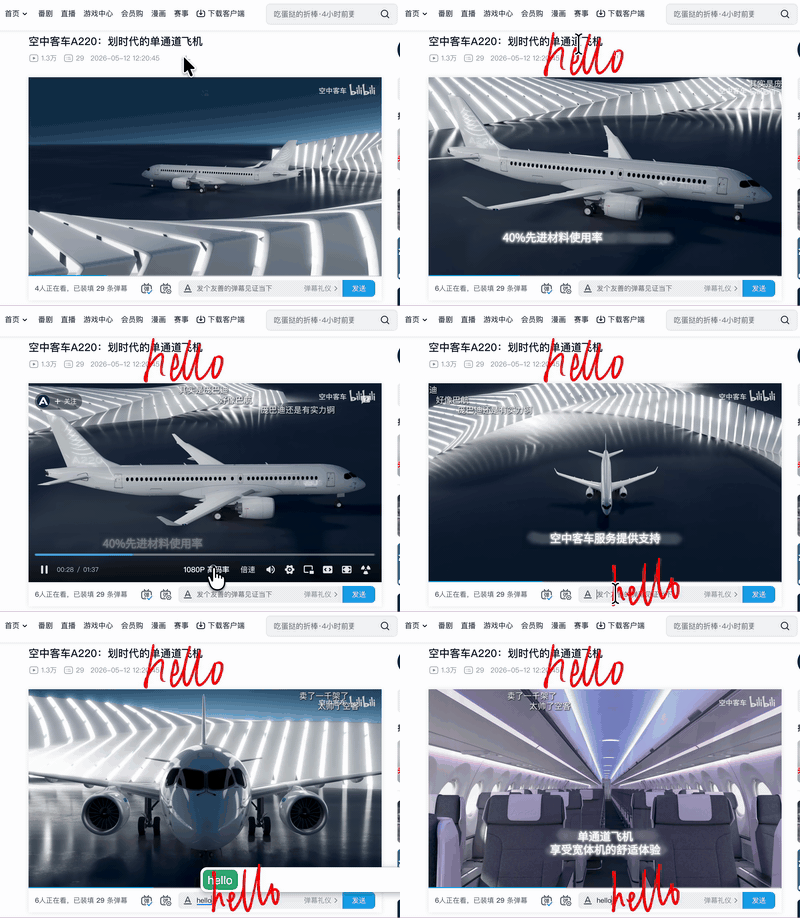
Like writing on a glass overlay in front of your monitor.
A regular stylus is treated as a mouse — this app removes that behavior.
Separate the pen from the mouse
Like writing on a glass overlay in front of your monitor.
A regular stylus is treated as a mouse — this app removes that behavior.
Features
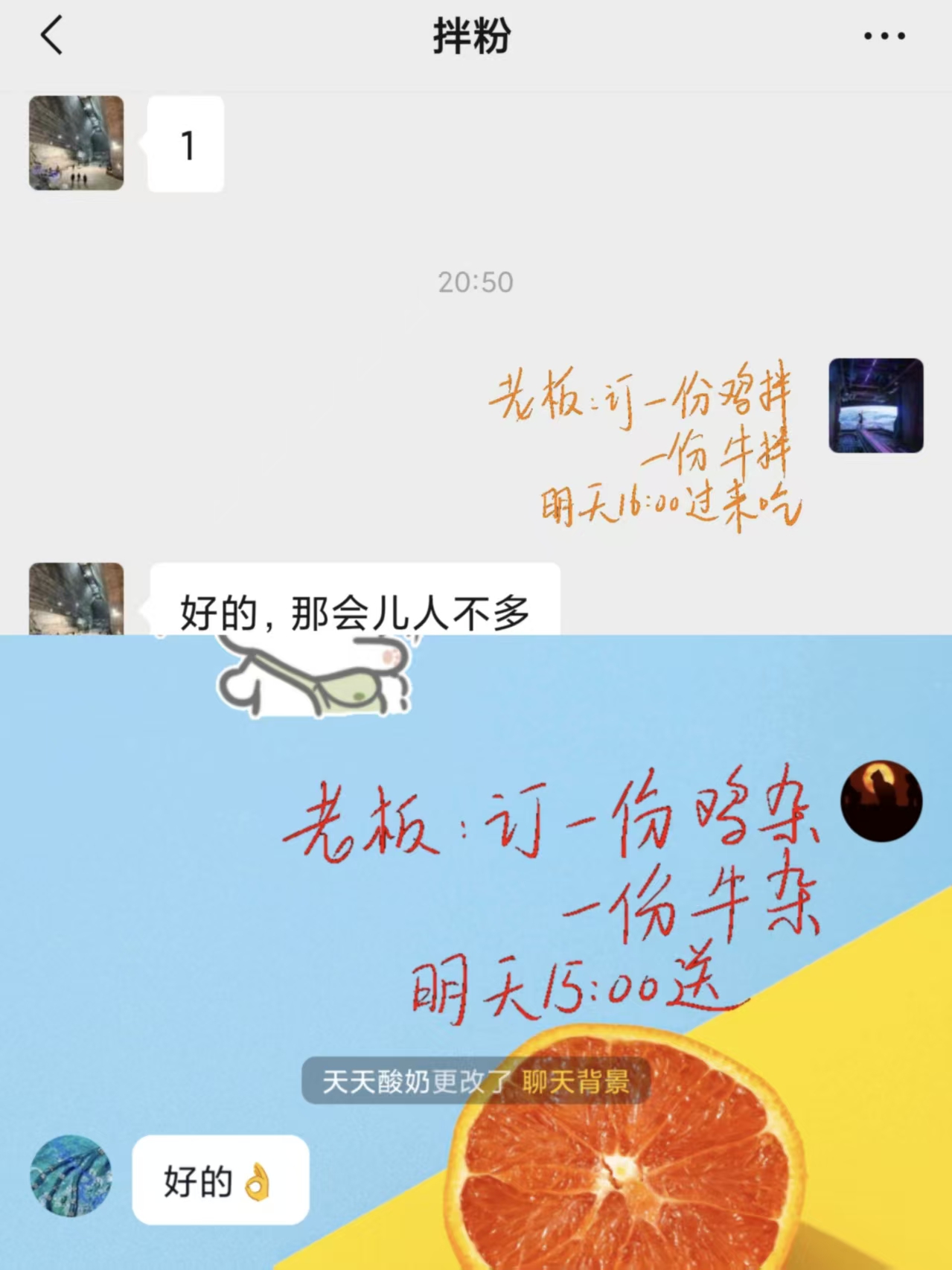
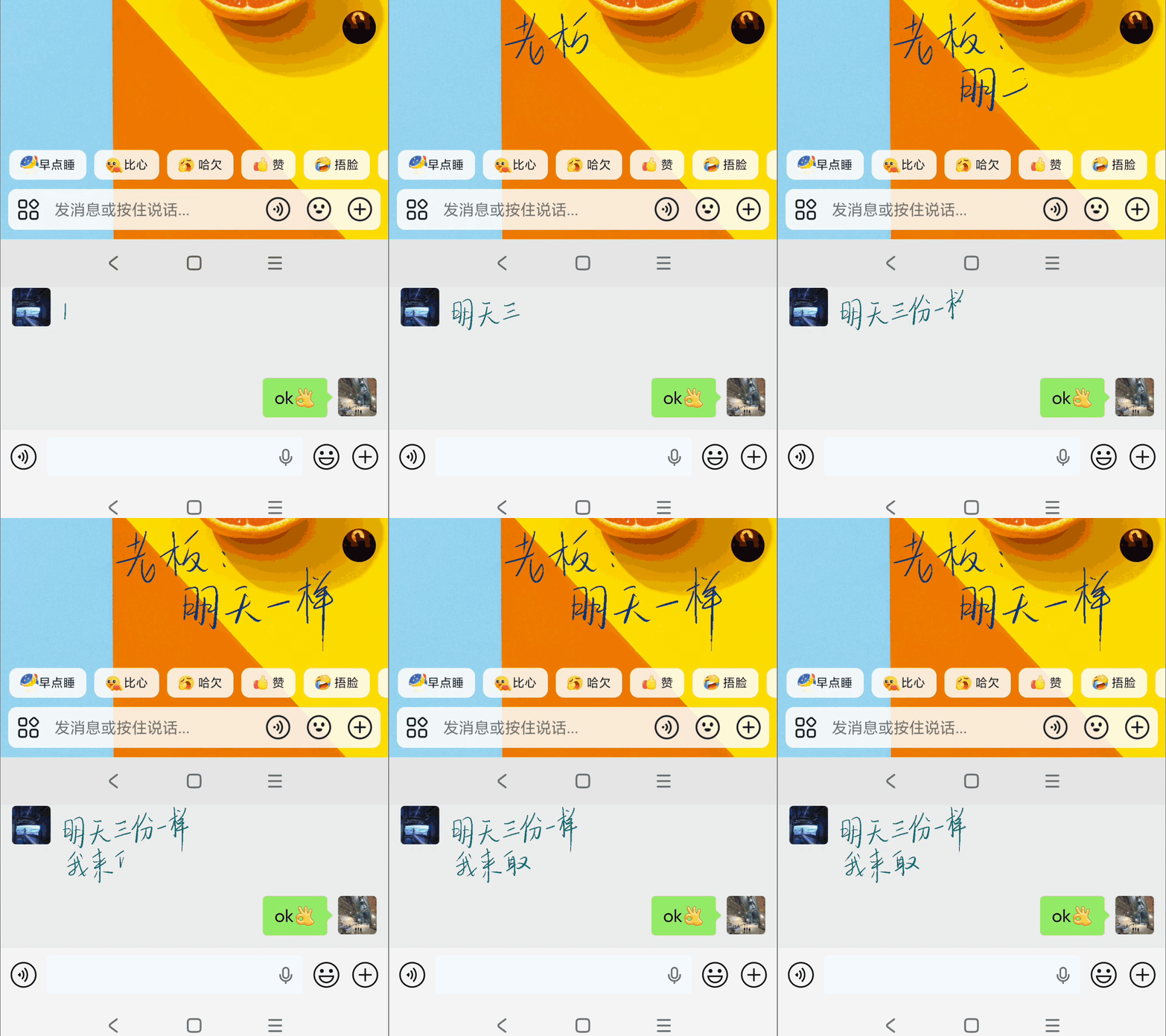
Doodle on screen, paste into WeChat or Douyin to send handwritten messages. Small GIFs display as stickers — perfect for quick notes up to ~50 characters.
Export with or without background, in SVG, GIF, or Xournal format. Copy directly to clipboard with a single shortcut.
Reduces hand tremor with bezier interpolation. Even on large screens, your handwriting stays natural and smooth.
Blur the background to focus on your annotations. Mouse and keyboard still work with other apps through the blur.
Browse thumbnails of all pages, search by OCR text, navigate instantly, and delete unwanted pages.
Built with Rust and Flutter for native performance. Windows requires Microsoft Ink enabled in tablet driver settings.
Showcase
Doodle → Copy → Paste as sticker
Shortcuts
Everything at your fingertips
| Features | macOS | Windows |
|---|---|---|
| Clear screen | ⌘ ⌃ C | Ctrl Alt C |
| Toggle drawing | ⌘ ⌃ V | Ctrl Alt V |
| Previous / Next page | ⌘ ⌃ J / K | Ctrl Alt J / K |
| Export SVG + GIF to clipboard | ⌘ ⌃ G | Ctrl Alt G |
| Frosted glass toggle | ⌘ ⌃ B | Ctrl Alt B |
| Open settings | ⌘ ⌃ , | — |
| Quit | — | Ctrl Alt Q |
Download
Available for macOS and Windows
macOS 12+ · Apple Silicon & Intel · Windows 10+